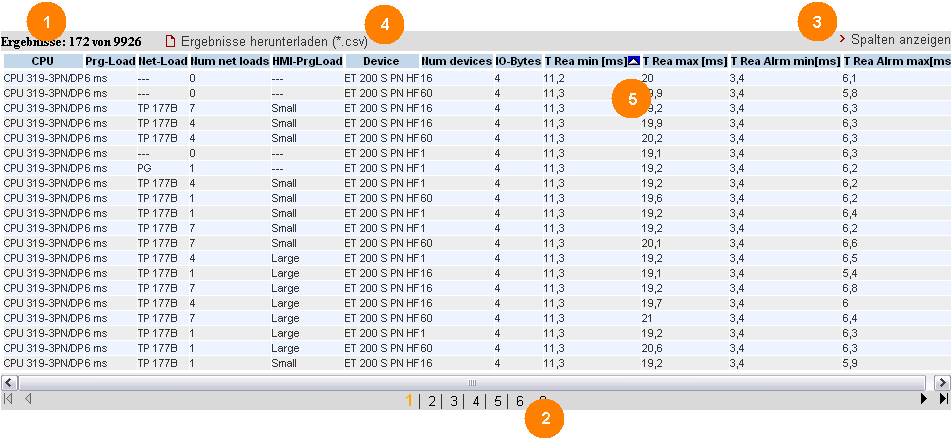
The performance data table shows the database contents of the respective measurement that have been restricted by the previous filters. This area is permanently visible. By default, the table only displays a selection of the columns that are available in the database for this measurement. Using a dialog box, you can select or deselect individual columns.
Control elements of the table
Explanation of operating elements
| Display element | Explanation |
|---|---|
|
1 |
The table control displays
|
|
2 |
Click the "> Show columns" control element to open a dialog box with which you can select or deselect individual columns.
|
|
3 |
If several result pages exist, you can select the individual result pages and go to the next, previous, last or first page, using the control bar elements of the table control. |
|
4 |
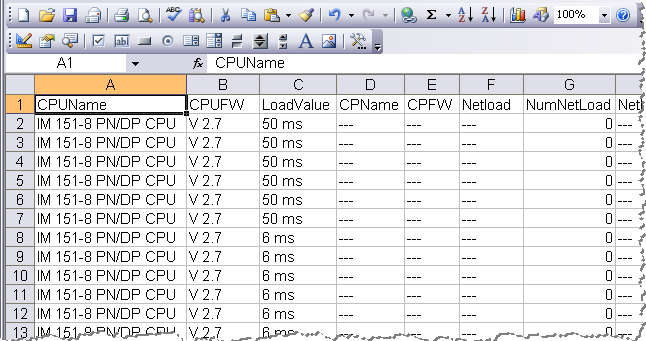
By clicking "Download results(*.csv)" the web server uploads all contents of the result table as csv file on the client browser. Depending on the browser and the Excel installed, the data is instantly displayed in an Excel spreadsheet.
|
|
5 |
By clicking the column heading of the measurement values (in this example - TransTime_min) a sorting of the table according to this criterion is triggered. By further clicks on the respective table heading you change the sort status of the column each time
Note: only one column can be sorted each! |
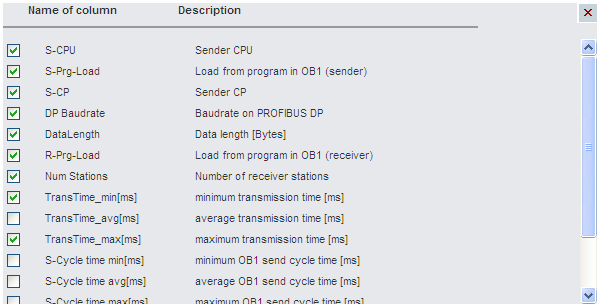
Meaning of the columns
All column headings are also explained in more detail via tooltips.
|
Column name |
Explanation |
|---|---|
|
S-CPU |
Sender CPU type |
|
S-Prg-Load |
Load from program in OB1 (sender) |
|
S-CP |
Sender CP type |
|
DP Baudrate |
Baudrate on PROFIBUS DP |
|
DataLength |
Data length [Bytes] |
|
R-Prg_Load |
Load from program in OB1 (receiver) |
|
Num Stations |
Number of receiver stations |
|
TransTime_min[ms] |
minimum transmission time [ms] |
|
TransTime_avg[ms] |
average transmission time [ms] |
|
TransTime_max[ms] |
maximum transmission time [ms] |
|
S-Cycle time min[ms] |
minimum OB1 send cycle time [ms] |
|
S-Cycle time avg[ms] |
average OB1 send cycle time [ms] |
|
S-Cycle time max[ms] |
maximum OB1 send cycle time [ms] |
|
R-Cycle time min[ms] |
minimum OB1 receive cycle time [ms] |
|
R-Cycle time avg[ms] |
average OB1 receive cycle time [ms] |
|
R-Cycle time max[ms] |
maximum OB1 receive cycle time [ms] |
 Values unsorted
 Values sorted
ascending
Values sorted
ascending Values sorted
descending
Values sorted
descending